Fire Alarm Troubleshooting Tips
Your commercial fire alarm system plays a critical role in protecting your building, occupants, and operations. When it works as intended, it provides early warning and supports a safe, coordinated response from your team and first responders during an emergency. When it doesn’t, even small issues can lead to compliance concerns, inspection findings, or unnecessary system downtime.
Fire alarm trouble signals often help you catch problems before they affect system performance. When you understand what these signals mean, how to respond, and when to involve a qualified service provider, you can keep your system reliable and ready when it matters most.
What is a fire alarm trouble signal?
A fire alarm trouble signal, also called a fault signal, indicates that part of your fire alarm system is not operating as intended. It usually points to an internal issue such as a wiring problem, power interruption, or device communication issue.
A trouble signal does not typically require evacuation, but it does require timely attention. If you leave a trouble condition unresolved, you may compromise system reliability and run into avoidable compliance or inspection issues—even if the problem appears minor at first.
What NFPA codes apply to fire alarm faults?
The National Fire Protection Association (NFPA), an agency that sets fire protection standards, addresses fire alarm system faults in NFPA 72: National Fire Alarm and Signaling Code. NFPA 72 uses a condition–signal–response model to explain how a system identifies a fault, displays it at the panel, and prompts corrective action.
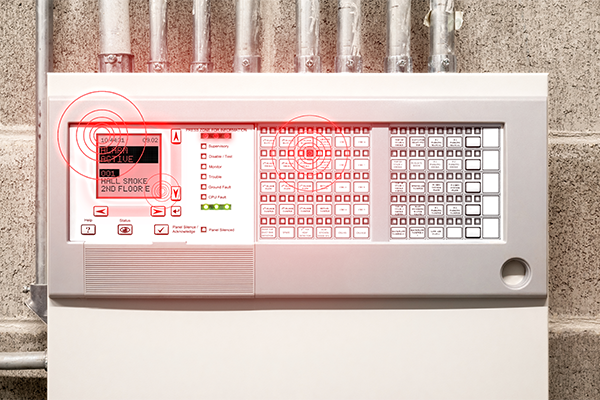
The code outlines this three-step model for trouble conditions:
- The system sends a trouble signal to the fire alarm control unit.
- The system initiates a trouble response, typically a visual and audible indication at the fire alarm control panel.
- Responsible personnel must investigate and correct the issue to restore proper operation.
Unlike an alarm condition, a trouble signal does not indicate an immediate threat to life or property and does not initiate occupant evacuation. Instead, it serves as an early warning that a specific device’s reliability may be compromised and that other components around it or throughout the system could be affected if the issue remains unresolved.
NFPA 72 also clearly distinguishes trouble conditions from supervisory conditions, which involve issues with equipment monitored by the fire alarm system, such as sprinkler valves or water supply components, rather than faults within the fire alarm system itself. That distinction helps ensure you take the right action for the situation your system is reporting.
What can cause a fire alarm trouble signal?
Most commercial fire alarm trouble conditions fall into three categories: power and system-level issues, wiring and circuit faults, and device or notification problems. Your panel may use different wording depending on the manufacturer, but the underlying issues are typically the same.
1. System-level troubles
These system-level troubles affect the fire alarm control unit’s operation or the system’s ability to function during an emergency:
- AC power trouble: Your fire alarm control unit is not receiving primary power.
- Battery or standby power trouble: The system detects low battery voltage, a disconnected battery, or an aging battery that no longer meets standby requirements.
- Communication failure: Your system cannot communicate with your fire alarm monitoring provider or other networked panels.
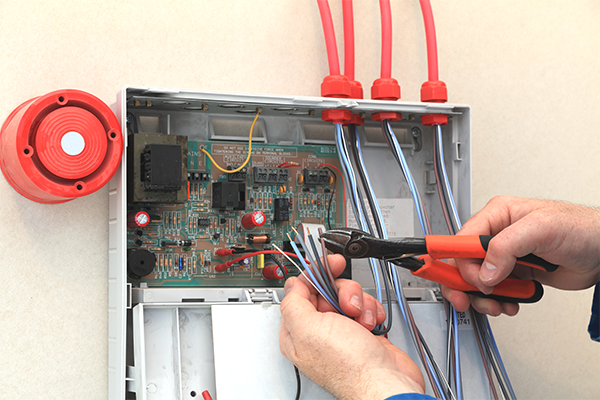
2. Wiring and circuit problems
Wiring and circuit troubles often point to physical issues within the system infrastructure.
- Open circuit: The system detects a break, disconnection, or loose termination. Because the system can no longer supervise the circuit, it reports a trouble condition until you restore wiring integrity.
- Short circuit: Two conductors contact unintentionally, often due to damaged insulation, pinched wiring, moisture intrusion, or improper installation. Shorts can cause recurring issues and may affect multiple devices or zones, depending on the circuit layout.
- Ground fault: System wiring contacts ground or a metal conduit. These faults can be intermittent and difficult to trace, especially in older buildings or where moisture or vibration affects wiring. Because ground faults can lead to unpredictable behavior, you should treat them as a priority.
3. Device and output issues
Device-level troubles typically affect individual components rather than the entire system.
- Device trouble: In addressable systems, a device trouble indicates that a specific detector, activation device, module, or interface component is not communicating correctly or is not operating within normal parameters.
- Notification Appliance Circuit (NAC) trouble: A NAC trouble indicates an issue with horns, emergency lighting, speakers, or the wiring that supports them. These supervisory signals are technically separate from trouble signals, as they indicate abnormal conditions in the monitored equipment rather than a fault within the fire alarm system.
What should I do when a fire alarm trouble signal appears?
When your system displays a trouble signal, your goal is to capture the right information, protect system readiness, and route the issue to qualified support. A controlled, repeatable process also helps prevent unnecessary resets or missed details. Here are six steps to take and helpful fire alarm troubleshooting tips to follow when your panel reports a fault.
1. Identify and document the trouble
Record the exact trouble message, device address or zone, and the time the condition appeared. If the panel allows you to view event history, document any related events immediately before the trouble, such as a power flicker or recent work in the area. Acknowledge the trouble to silence the tone, but avoid repeated resets until you understand the cause. A reset may temporarily clear the message, but it won’t resolve the underlying issue.
2. Verify power supplies
Confirm the control unit has primary power and that breakers are in the correct position. Then check the backup batteries for secure connections and overall condition. If your system reports a battery trouble condition, you may need to test or replace it. Many commercial systems require replacement every three to five years, depending on battery condition and usage history.
3. Check for circuit integrity issues
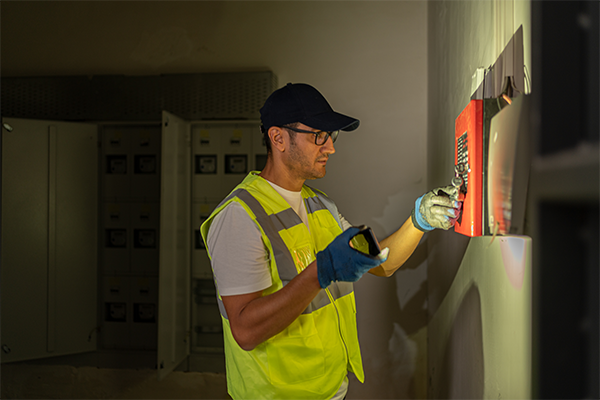
If your panel indicates an open, short, or ground fault, document which circuit is affected. These issues often require professional troubleshooting tools and trained technicians to isolate safely. If your building recently had renovation work, electrical work, ceiling tile replacement, or HVAC work, include that information in your documentation. These activities often impact wiring and device connections.
4. Review device-related troubles
If the trouble points to a specific device, confirm whether the device location matches the panel description. Dirt, dust, or environmental conditions can contribute to device trouble conditions, especially in high-dust or high-humidity areas. Avoid removing devices or altering wiring unless your team includes qualified personnel, and you follow appropriate procedures. In many cases, the fastest resolution is to provide your service provider with the device details so they can test fire alarm call points as needed.
5. Confirm monitoring and communication status
If the trouble relates to communication, confirm that the system can still reach the monitoring station. Communication issues may involve phone lines, network connections, or cellular communicators. Because communication troubles affect reporting, you should treat them as a high priority.
6. Review programming and software
If the issue involves addressing, programming, or networked system configuration, do not modify your system’s programming or configuration without qualified support. Unvalidated changes can introduce new faults and create compliance risks.
When should I contact a certified fire alarm technician?
Contact a certified fire alarm technician when trouble conditions persist, involve wiring or programming, or pose compliance concerns for your business.
Professional assistance is recommended when you encounter:
- Persistent or recurring trouble signals
- Ground faults, shorts, or wiring repairs
- Communication failures that you cannot resolve quickly
- Device replacement or circuit troubleshooting that requires testing tools
- Programming changes, system expansion, or remodel-related updates
- Any condition that could lead to inspection findings or code violations
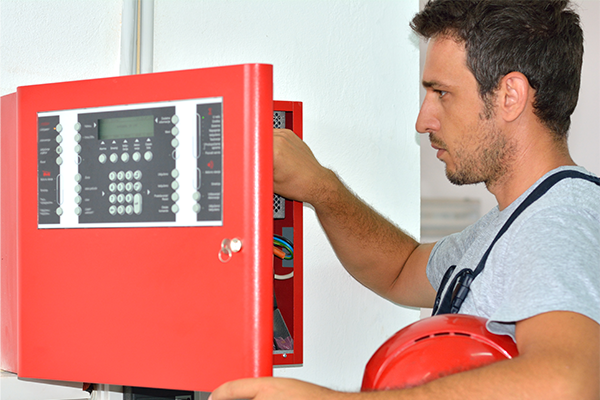
Licensed or NICET-certified technicians can safely troubleshoot, validate corrective actions, and restore your system to normal operation — all while providing proper documentation.
How can I reduce fire alarm trouble signals over time?
You can reduce recurring trouble signals by building a preventative maintenance program that supports both system reliability and compliance.
Key best practices that can help you avoid fire alarm faults include:
- Routine inspections and testing: Follow the inspection schedule required for your system type and occupancy, and address findings quickly.
- Battery and power management: Replace batteries proactively and investigate AC power issues promptly to avoid extended operation on backup power.
- Device upkeep: Keep smoke detectors and other devices clean, and evaluate placement in areas where dust, humidity, or airflow contribute to recurring issues.
- Wiring integrity and trade coordination: Treat renovations, ceiling work, electrical projects, HVAC work, and contractor activity as high-risk for device disruption and wiring damage.
Over time, consistent maintenance reduces unexpected downtime, improves inspection outcomes, and keeps your system ready to perform.
Keep your fire alarm system reliable with FSS Technologies
Fire alarm trouble signals provide early warning that your system needs attention. When you address these signals promptly, you protect system performance, maintain compliance, and reduce risk. Still, it can be challenging to figure out where to start, what questions to ask about inspections, or who to turn to.
FSS Technologies provides professional inspections, troubleshooting, preventative maintenance, and other fire alarm system services to help keep your system operating safely and efficiently. If you experience recurring trouble conditions, want to strengthen your maintenance program, or are interested in fire alarm monitoring services, our team of expert, NICET-certified service technicians and friendly customer support personnel is ready to help. Get in touch today to learn about our fire alarm system services.
Explore Our Other Blogs

Motion Detector Installation Basics
Motion detection devices are a crucial component of any security system, commercial or residential. They allow owners to cover a relatively large amount of space with a small number of devices. Motion detectors also are known to detect activity that window sensors might miss. When it comes time to install motion detection devices, remember these…
What are the Components of a Security System?
Security systems can vary widely in size and scale: from simple home alarms and small business surveillance systems to commercial-grade intrusion and detection systems. One system could even be comprised of enterprise-level networks that stretch across multiple locations. Understanding the essential components of a security system is the best way to start your search for…

Cost of Home Security Systems
Getting a security system for your home is a wise investment. While the obvious benefit is protection for your family, home, and belongings, it’s hard to put a price on the peace of mind that comes from knowing that you and your family will have professional help in case of an emergency. Still, you must…

Lowe’s Iris Line Goes Under
Many consumers are seeing red with the recent news that big-box retailer Lowe’s is shutting down service to its Iris smart home platform. Lowe’s launched its Iris cloud service in 2012 so it could sell its own smart home products to the public. Customers with an Iris smart hub, the heart of the network, could…

Has My Home Security System Been Hacked?
With more DIY security systems than ever available with the touch of a button, families around the world are choosing to protect their homes with easy to install cameras and alarms. The expert team at FSS Technologies aims to help homeowners make the right choice for their families when selecting a home security system. A…

DIY Home Security Cameras
DIY Security Systems Are the New Fad There are many pre-configured, DIY home security system kits on the market. They are sold under various brand names including Ring, Nest, SimpliSafe, and others. The basic idea of a DIY home security system is that you pay one low fee to purchase all of the equipment and…

What Kind of Certifications Make Our Team Security Experts?
At FSS Technologies, we pride ourselves on the fact that we are not your typical fire safety or security company. When people call us, they don’t want a one-size-fits-all solution — they want our experts to design a system that perfectly fits their needs. We take “First in Security, First in Satisfaction” seriously to ensure every…
Addressable vs. Conventional Fire Alarms
When determining what type of fire alarm systems are best for your business, it boils down to your choice between a conventional and addressable alarm system. The combination of smoke, heat, and carbon monoxide detectors work together with your control panel to keep your business safe. Additionally, you will need to determine what kind of automatic…

What to Do if Someone Breaks into Your House
Arriving home to find that your home has been burglarized is one of the worst feelings someone can have. You’re left feeling raw, vulnerable, and angry. In this time of high stress, it may be hard to put your thoughts together to remember everything that now needs to be done. We have put together a list…

What are the Different Kinds of Security Video Storage?
Security Video Recordings Storage How much storage does a security camera have? It is a seemingly simple question, with a surprisingly complicated answer. Security and surveillance cameras can use a variety of storage types, each with their own advantages and disadvantages. To choose the right security video storage for you, you will need to consider…