Fire Alarm Troubleshooting Tips
Your commercial fire alarm system plays a critical role in protecting your building, occupants, and operations. When it works as intended, it provides early warning and supports a safe, coordinated response from your team and first responders during an emergency. When it doesn’t, even small issues can lead to compliance concerns, inspection findings, or unnecessary system downtime.
Fire alarm trouble signals often help you catch problems before they affect system performance. When you understand what these signals mean, how to respond, and when to involve a qualified service provider, you can keep your system reliable and ready when it matters most.
What is a fire alarm trouble signal?
A fire alarm trouble signal, also called a fault signal, indicates that part of your fire alarm system is not operating as intended. It usually points to an internal issue such as a wiring problem, power interruption, or device communication issue.
A trouble signal does not typically require evacuation, but it does require timely attention. If you leave a trouble condition unresolved, you may compromise system reliability and run into avoidable compliance or inspection issues—even if the problem appears minor at first.
What NFPA codes apply to fire alarm faults?
The National Fire Protection Association (NFPA), an agency that sets fire protection standards, addresses fire alarm system faults in NFPA 72: National Fire Alarm and Signaling Code. NFPA 72 uses a condition–signal–response model to explain how a system identifies a fault, displays it at the panel, and prompts corrective action.
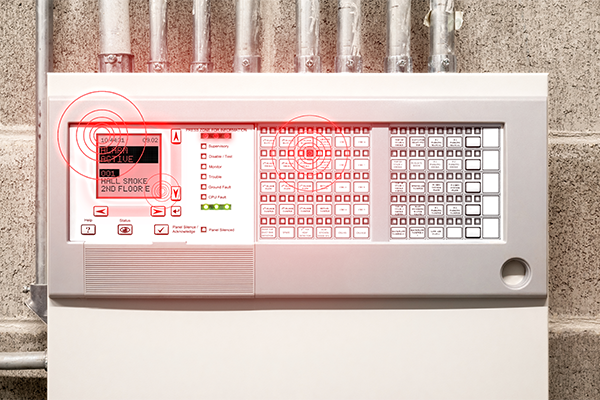
The code outlines this three-step model for trouble conditions:
- The system sends a trouble signal to the fire alarm control unit.
- The system initiates a trouble response, typically a visual and audible indication at the fire alarm control panel.
- Responsible personnel must investigate and correct the issue to restore proper operation.
Unlike an alarm condition, a trouble signal does not indicate an immediate threat to life or property and does not initiate occupant evacuation. Instead, it serves as an early warning that a specific device’s reliability may be compromised and that other components around it or throughout the system could be affected if the issue remains unresolved.
NFPA 72 also clearly distinguishes trouble conditions from supervisory conditions, which involve issues with equipment monitored by the fire alarm system, such as sprinkler valves or water supply components, rather than faults within the fire alarm system itself. That distinction helps ensure you take the right action for the situation your system is reporting.
What can cause a fire alarm trouble signal?
Most commercial fire alarm trouble conditions fall into three categories: power and system-level issues, wiring and circuit faults, and device or notification problems. Your panel may use different wording depending on the manufacturer, but the underlying issues are typically the same.
1. System-level troubles
These system-level troubles affect the fire alarm control unit’s operation or the system’s ability to function during an emergency:
- AC power trouble: Your fire alarm control unit is not receiving primary power.
- Battery or standby power trouble: The system detects low battery voltage, a disconnected battery, or an aging battery that no longer meets standby requirements.
- Communication failure: Your system cannot communicate with your fire alarm monitoring provider or other networked panels.
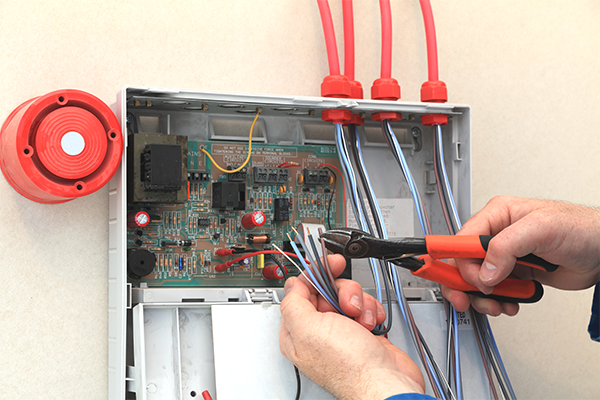
2. Wiring and circuit problems
Wiring and circuit troubles often point to physical issues within the system infrastructure.
- Open circuit: The system detects a break, disconnection, or loose termination. Because the system can no longer supervise the circuit, it reports a trouble condition until you restore wiring integrity.
- Short circuit: Two conductors contact unintentionally, often due to damaged insulation, pinched wiring, moisture intrusion, or improper installation. Shorts can cause recurring issues and may affect multiple devices or zones, depending on the circuit layout.
- Ground fault: System wiring contacts ground or a metal conduit. These faults can be intermittent and difficult to trace, especially in older buildings or where moisture or vibration affects wiring. Because ground faults can lead to unpredictable behavior, you should treat them as a priority.
3. Device and output issues
Device-level troubles typically affect individual components rather than the entire system.
- Device trouble: In addressable systems, a device trouble indicates that a specific detector, activation device, module, or interface component is not communicating correctly or is not operating within normal parameters.
- Notification Appliance Circuit (NAC) trouble: A NAC trouble indicates an issue with horns, emergency lighting, speakers, or the wiring that supports them. These supervisory signals are technically separate from trouble signals, as they indicate abnormal conditions in the monitored equipment rather than a fault within the fire alarm system.
What should I do when a fire alarm trouble signal appears?
When your system displays a trouble signal, your goal is to capture the right information, protect system readiness, and route the issue to qualified support. A controlled, repeatable process also helps prevent unnecessary resets or missed details. Here are six steps to take and helpful fire alarm troubleshooting tips to follow when your panel reports a fault.
1. Identify and document the trouble
Record the exact trouble message, device address or zone, and the time the condition appeared. If the panel allows you to view event history, document any related events immediately before the trouble, such as a power flicker or recent work in the area. Acknowledge the trouble to silence the tone, but avoid repeated resets until you understand the cause. A reset may temporarily clear the message, but it won’t resolve the underlying issue.
2. Verify power supplies
Confirm the control unit has primary power and that breakers are in the correct position. Then check the backup batteries for secure connections and overall condition. If your system reports a battery trouble condition, you may need to test or replace it. Many commercial systems require replacement every three to five years, depending on battery condition and usage history.
3. Check for circuit integrity issues
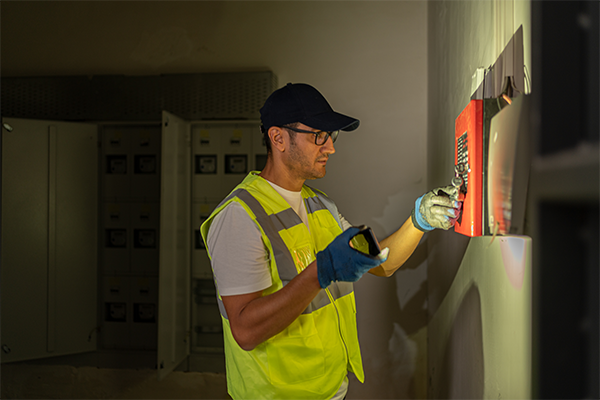
If your panel indicates an open, short, or ground fault, document which circuit is affected. These issues often require professional troubleshooting tools and trained technicians to isolate safely. If your building recently had renovation work, electrical work, ceiling tile replacement, or HVAC work, include that information in your documentation. These activities often impact wiring and device connections.
4. Review device-related troubles
If the trouble points to a specific device, confirm whether the device location matches the panel description. Dirt, dust, or environmental conditions can contribute to device trouble conditions, especially in high-dust or high-humidity areas. Avoid removing devices or altering wiring unless your team includes qualified personnel, and you follow appropriate procedures. In many cases, the fastest resolution is to provide your service provider with the device details so they can test fire alarm call points as needed.
5. Confirm monitoring and communication status
If the trouble relates to communication, confirm that the system can still reach the monitoring station. Communication issues may involve phone lines, network connections, or cellular communicators. Because communication troubles affect reporting, you should treat them as a high priority.
6. Review programming and software
If the issue involves addressing, programming, or networked system configuration, do not modify your system’s programming or configuration without qualified support. Unvalidated changes can introduce new faults and create compliance risks.
When should I contact a certified fire alarm technician?
Contact a certified fire alarm technician when trouble conditions persist, involve wiring or programming, or pose compliance concerns for your business.
Professional assistance is recommended when you encounter:
- Persistent or recurring trouble signals
- Ground faults, shorts, or wiring repairs
- Communication failures that you cannot resolve quickly
- Device replacement or circuit troubleshooting that requires testing tools
- Programming changes, system expansion, or remodel-related updates
- Any condition that could lead to inspection findings or code violations
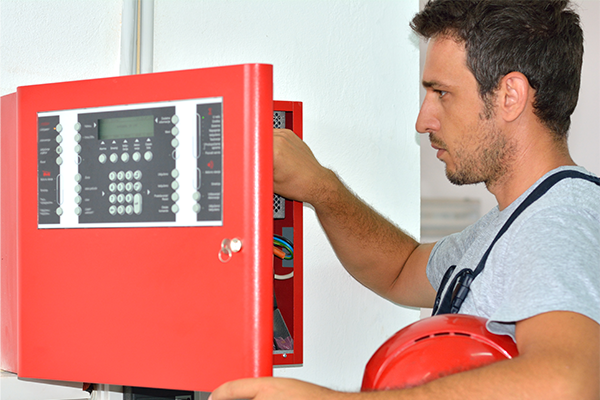
Licensed or NICET-certified technicians can safely troubleshoot, validate corrective actions, and restore your system to normal operation — all while providing proper documentation.
How can I reduce fire alarm trouble signals over time?
You can reduce recurring trouble signals by building a preventative maintenance program that supports both system reliability and compliance.
Key best practices that can help you avoid fire alarm faults include:
- Routine inspections and testing: Follow the inspection schedule required for your system type and occupancy, and address findings quickly.
- Battery and power management: Replace batteries proactively and investigate AC power issues promptly to avoid extended operation on backup power.
- Device upkeep: Keep smoke detectors and other devices clean, and evaluate placement in areas where dust, humidity, or airflow contribute to recurring issues.
- Wiring integrity and trade coordination: Treat renovations, ceiling work, electrical projects, HVAC work, and contractor activity as high-risk for device disruption and wiring damage.
Over time, consistent maintenance reduces unexpected downtime, improves inspection outcomes, and keeps your system ready to perform.
Keep your fire alarm system reliable with FSS Technologies
Fire alarm trouble signals provide early warning that your system needs attention. When you address these signals promptly, you protect system performance, maintain compliance, and reduce risk. Still, it can be challenging to figure out where to start, what questions to ask about inspections, or who to turn to.
FSS Technologies provides professional inspections, troubleshooting, preventative maintenance, and other fire alarm system services to help keep your system operating safely and efficiently. If you experience recurring trouble conditions, want to strengthen your maintenance program, or are interested in fire alarm monitoring services, our team of expert, NICET-certified service technicians and friendly customer support personnel is ready to help. Get in touch today to learn about our fire alarm system services.
Explore Our Other Blogs

The Cost of Alarm Monitoring vs. the Cost of a Break-In
Property crime in the United States is costly. According to the FBI’s Uniform Crime Reporting (UCR) program, property crimes in 2018 resulted in an estimated $16.4 billion of losses. The Cost of Crime Larceny-theft is the most common of all property crimes, accounting for 73.4 percent. Larceny-theft is defined as the unlawful taking, carry, leading,…
Does My Business Need an Access Control System?
Does My Business Need an Access Control System? Before determining whether your business could benefit from an access control system, let’s go over the different types and their capabilities. In short, an access control system is a type of security system that lets you control who, where, and when someone can enter or exit your…
Is the Use of CCTV Cameras in the Workplace Illegal?
Know the Law Business owners are responsible for the security and well-being of their employees and company property. Many companies use technology such as cameras, motion detectors, and other tools to keep an eye on their building or cash areas. Many new businesses and employees may be wondering: Are CCTV cameras illegal in the workplace? Let’s…

What to Know About Smart Locks
Smart locks have been on the market for several years and continually gain features as technology advances. Learn how useful they can be and how to find the best option for your home or business. What’s a smart lock? Smart locks are door locks controlled digitally. These locks can be monitored and controlled by an…

Residential vs. Business Security
What is the difference between a commercial and a residential security system? Commercial real estate is a property type that is only for business or retail purposes. Residential real estate is a property type specifically designed for living purposes, if it is four units or less– anything larger than that is considered a commercial property….

Certifications That Make Us Security Experts
At FSS Technologies, we pride ourselves on the fact that we are not your typical fire safety or security company. When people call us, they don’t want a one-size-fits-all solution — they want our experts to design a system that perfectly fits their needs. We take “First in Security, First in Satisfaction” seriously to ensure every…

Can Video Surveillance Be Used In Court?
You should talk to a law enforcement professional in your area to know for sure what is admissible in your local court, but here are some general guidelines about criteria that law enforcement will take into consideration regarding your security camera video. Authenticity A digital watermark is undetectable to the human eye, but it can…
How is a Fire Sprinkler System Designed?
While fire sprinkler systems seem the same at first glance, there’s no one-size-fits-all solution for all commercial properties. Depending on a structure’s needs and circumstances, fire sprinkler systems use different combinations of various components. The ideal design should accommodate the unique features of each industry, layout, and operation. Whether you’re looking to install a fire…

Winter Commercial Fire Safety Tips
While fire safety and prevention are crucial year-round, unique fire hazards accompany winter’s freezing temperatures. The National Fire Protection Association (NFPA) reports that many holiday-related factors contribute to an increased fire risk during the winter months, and commercial settings are just as vulnerable. Besides creating and reviewing company-wide fire safety procedures, here are 4 tips…

Types of Fire Suppression Systems
Fire suppression is one of the most important layers in a commercial building’s life safety plan because it is designed to control a hazard early, often before conditions spread beyond the point where occupants or staff can safely intervene. That matters for more than just damage control—it affects potential interruptions, compliance issues, and emergency performance….