Wired vs. Wireless Security Cameras
Wired or Wireless?
When we talk about wired versus wireless in-home security, it has little to do with whether a piece of equipment has physical wires attached to it. The terms wired and wireless refer to the communication signal that is transmitted from one piece of security equipment to another.
For a security system to execute its programmed commands, such as sending an alert to your cell phone, all of its components must be able to communicate with one another as well as you.
Communication signals can be transmitted using an analog or digital format. They are then routed through a wired connection, like a telephone or cable line, or by a wireless connection, like a mobile phone or laptop. The latter uses radio waves to send the transmission.
When it comes to security cameras, there are pros and cons to each type of transmission method.
Analog vs. Digital
Both analog and digital signals are used to transmit audio and video information. Analog technology is considered old-school and technically works by translating data into electrical pulses of varying amplitude. Digital signals, on the other hand, are a translation of information into binary format (zero or one) where each bit is representative of two distinct amplitudes.
For security cameras, the difference between analog and digital cameras (also called IP cameras) is the format in which the video signal is delivered—either pulses or bits.
Analog cameras have been the industry standard for decades. They are reliable, easy to install and operate, and they can achieve clear high-resolution video images. The technology is older, but you can still have a wireless system. Analog cameras can transmit their analog video signals wirelessly or through wired connections. However, wireless connections tend to have more interference in the transmission signal using this method.
Digital or IP cameras are more commonly chosen today because digital cameras offer incredibly high resolution. A higher resolution allows the camera to perform functions like facial recognition, license plate recognition, and digitally zooming distances of more than 100 feet. Digital video cameras are also more compatible with wireless technology and can be better suited for remote video surveillance needs.

Where Do the Camera Signals Go?
Once your analog or digital camera starts rolling, it must do something with the video and audio signals it records. An analog camera sends the signals to a Digital Video Recorder (DVR). The DVR records, processes, and stores all the data the camera recorded. The analog camera must be connected to the DVR by a coaxial cable. Depending on the model you purchase, the DVR can take the recordings and transmit them to a monitor for immediate viewing. You can watch these on your TV screen or your computer through a wired or wireless connection. It can even stream the footage to your smartphone, tablet, or laptop.
A digital or IP camera has everything needed to record, process, and store the video or audio data built into the unit itself. This eliminates the need to physically connect it to a DVR unit . The data from this camera is sent to wherever you’d like to view it via an NVR (a Network Video Recorder), which is just a piece of software, not a physical unit. This software creates a network, so the components of your security system can communicate with one another and ultimately transmit the signals to wherever you’d like them to go.
Powering Your Security Camera
Even if you are using a digital or IP security camera, which doesn’t have to be connected to a physical DVR, you must still find a way to power the system. There are many security cameras advertised as “wireless” that still need to be plugged in. For the camera to work, the system requires a cable to be plugged into an electrical outlet. Why is the camera called wireless if it still needs a wire? This is because the word wireless refers to how the camera transmits its video and audio data signals instead of how it gets its power.
This is especially important for outside security cameras because you need to consider the distance between the wireless security camera and its power source.
There are battery-powered wireless security cameras available on the market as well, which would give you a truly “wire-free” solution. However, it’s essential to consider the battery life of these security solutions in your overall security plan.

Performance of a Wireless Security Camera
As you can see, you can have a “wireless” security system using either an analog or digital (IP) camera, although most consumers today will likely choose digital.
Deciding to purchase a digital security camera is just the beginning of many decisions you must make to get the performance you truly want from your wireless security system.
For example, let’s say you want to install a camera to keep watch on your backyard at night. Wireless cameras are usually not great at night in low-light areas, so if you don’t have adequate lighting in the area you want to view, your video will likely be dark.
Another issue to consider: Do you have the necessary Internet bandwidth to support a wireless security system? How Your Internet Speed Affects Your Security System Wireless video is only as good as the stream, and if your wireless camera is high resolution, you could experience significant slowdowns during the transmission.
As you can see, designing an effective security system is not always as easy as the commercials on television make it seem. If you are interested in talking to a professional security company, FSS Technologies offers several affordable options for cameras, including cloud storage, phone app viewing, etc. Call us for a free evaluation.
Explore Our Other Blogs

Big Name Home Security Gimmicks
We talk about choosing between a national home security company and a local company, DIY Security systems’ weaknesses, and video doorbells. Choosing a security system can be stressful and overwhelming, especially when you and your family’s security is at stake. So how do you choose a home security system? Do Your Homework It’s critical to do…
Who Owns ADT Alarm Systems After Install?
You’ve paid to have an alarm system installed in your home. Do you own the equipment? Most likely, but not yet if you contracted with a big-box home security company like ADT. Payment Plans for Equipment Most people sign up on special offers in which they will pay an installation fee for the equipment, but…
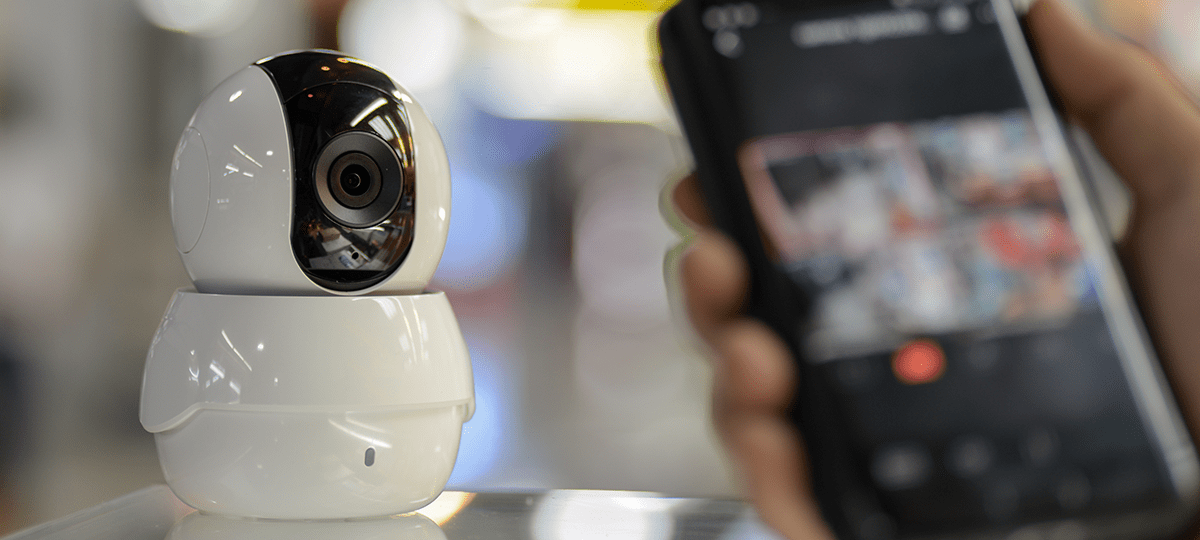
Security Integrations with Avigilon Alta
Security systems and integrations For business owners and managers, security systems are a key tool in protecting your customers, property, and commercial operations. There are several components to consider when working to create the best security system for your business, and there’s never a one-size-fits-all solution. A helpful approach to finding the best fit for…

What to Do After a Break In
No one ever wants to be victimized by a burglar, but the fact is that many will encounter a theft or break-in at some point in their lifetime. A recent study by Bankrate shows that there are over 1 million burglaries in the United States each year, with a new burglary happening approximately every 26…
Fire Alarm Troubleshooting Tips
Your commercial fire alarm system plays a critical role in protecting your building, occupants, and operations. When it works as intended, it provides early warning and supports a safe, coordinated response from your team and first responders during an emergency. When it doesn’t, even small issues can lead to compliance concerns, inspection findings, or unnecessary…

Inside the Mind of a Burglar
What Message Are You Sending? Whether you know it or not, your business could send a message to potential burglars about how easy or difficult it is to break in. Professional thieves can quickly assess a property, also known as “casing,” to determine if it could be an easy and lucrative target. Unfortunately, many employees…
What Are Fire Alarm System Zones?
Fire alarm zones are standard in conventional fire panels. Each zone represents a different area in the building to help firefighters and professionals pinpoint the source of an alarm. However, it can be confusing to research fire alarm zones because they are not as common as they once were. Conventional and addressable systems handle communication for fire…
5G Security Concerns & the 3G Sunset
Consumers are using the internet on the go more than ever. By 2022, it is projected that consumers will utilize nearly 11GB of data per month, primarily due to video consumption. To create a more robust and long-term solution, technology infrastructure is working towards the next generation of mobile networks: 5G. With this network upgrade…
The Benefits of Keyless Access Control
As your organization grows and evolves, managing physical access becomes increasingly complex. Traditional keys often struggle to keep pace with changing employee roles, multiple locations, and heightened security expectations. These issues don’t just cause minor issues—they create risks that can impact productivity, compliance, and overall security. Keyless access provides a modern approach to commercial access…

Can I Install a Security System with Monitoring in my Apartment?
The most recent FBI data estimates that there are over 1.2 million burglaries a year, resulting in around $3.4 billion in property loss. Although property crime as a whole has been on the decline, the rise in popularity of video doorbells and more comprehensive and integrated home security systems shows that Americans are no less…